

What Is an AI Marketing Agent? How to Build One for Your Business


Table of Contents
Key Takeaways
- An AI marketing agent is not the same as a chatbot or a marketing automation tool. It can plan multi-step tasks, use external tools (CRM, analytics, email platform), and adjust based on results, without a human doing each step.
- The most reliable use cases right now are contained, repeatable tasks with a clear input and output: lead scoring, email personalization, weekly reporting, content drafts, social scheduling.
- According to McKinsey’s June 2023 report on generative AI, marketing and sales functions have the highest productivity potential of any business function, estimated at $1.7 to $3 trillion in value.
- The most common failure is not a technology problem: it is giving the agent too many tasks at once. One agent, one task, done well, is how you start.
What Is an AI Marketing Agent?
An AI marketing agent is an LLM-powered system that receives a marketing goal, breaks it into steps, calls external tools (search, CRM, email platforms, analytics), executes those steps in sequence, and delivers a result, without a human managing each step manually.
This is different from a script or a workflow trigger. A marketing automation rule says “when user signs up, send welcome email.” An AI marketing agent can read that user’s profile, check what product they signed up for, look at what similar users engaged with, write a personalized follow-up email, schedule it at the optimal time based on past engagement data, and flag to a human if the lead score crosses a threshold.
The keyword is “agent.” In computer science, an agent is a system that perceives its environment, makes decisions, and takes actions to achieve a goal. Adding “AI” means it uses an LLM to handle the decision step, which makes it far more flexible than rule-based systems.
How Is an AI Marketing Agent Different from a Chatbot and Marketing Automation?
The confusion here is common and worth clearing up with a real example.
Say you want to follow up with 200 leads who downloaded a whitepaper last week. Here is what each approach does:
- A chatbot waits for a user to start a conversation. It cannot initiate follow-up.
- Marketing automation (HubSpot, Mailchimp) sends the same follow-up email to all 200 leads at a scheduled time. It cannot personalize per lead or adjust based on behavior.
- An AI marketing agent reads each lead’s company data, job title, and download behavior, writes a different opening line for each email, scores each lead by likelihood to convert, sends emails in order of priority, and flags the top 10 leads for a human sales rep to call.
|
Feature |
AI Marketing Agent |
Marketing Automation |
Chatbot |
|
Core technology |
LLM + tool use + memory |
Rule-based triggers |
NLP, mostly rule-based |
|
Can it plan multi-step tasks? |
Yes |
No (follows fixed triggers) |
No |
|
Can it write original content? |
Yes |
No |
Limited |
|
Initiates outreach on its own? |
Yes (given a trigger or schedule) |
Yes (rule-based) |
No |
|
Adjusts based on context? |
Yes |
No |
Rarely |
|
Needs human input per task? |
Minimal, after setup |
Setup only |
Often yes |
|
Best for |
Complex, personalized tasks |
High-volume, repeatable processes |
Real-time Q&A on a single channel |
The line that matters: automation follows your rules; an AI agent makes decisions within your rules. That flexibility is why agents can handle work that would take a human hours.
How Does an AI Marketing Agent Actually Work?
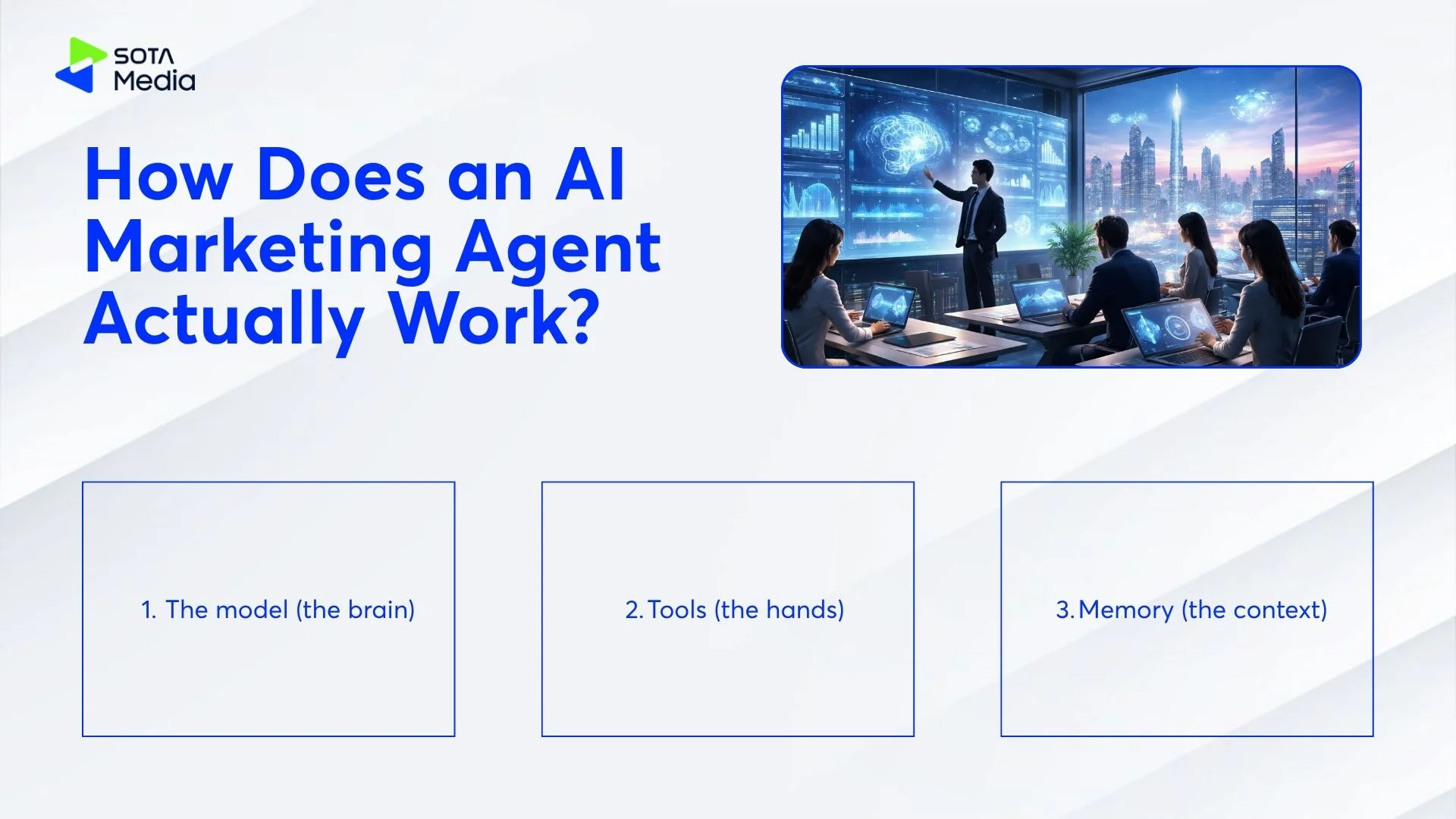
Three components run together every time the agent executes a task:
- The model (the brain)
An LLM such as GPT-4o, Claude Sonnet, or Gemini 1.5 Pro reads the goal, interprets context, and decides what action to take next. It does not have hard-coded logic. It reasons from the instruction you give it (the system prompt) and the data you feed it.
- Tools (the hands)
The model cannot do anything useful alone. It calls external tools to read data and take action. A marketing agent’s typical tool list includes:
- CRM read/write (HubSpot, Salesforce, Pipedrive)
- Analytics read (GA4, ad platform APIs)
- Email send (Mailchimp, Klaviyo, SendGrid)
- Web search (for competitor monitoring or research)
- File read/write (Google Docs, Notion, Airtable)
- Social media post (Buffer, LinkedIn API)
Each tool call is an API request. The model decides what to call, what parameters to pass, and how to use the result.
- Memory (the context)
The agent needs to remember what it has done within a task and sometimes across tasks. Two types:
- Short-term (working) memory: Everything in the current task context. The model reads it, acts, and the context updates. When the task ends, this clears.
- Long-term memory: Stored externally. Usually a vector database (Pinecone, Chroma) or a simple document (your brand guidelines, historical results, customer personas). The agent retrieves relevant pieces at the start of each task.
A concrete example of all three working together: You tell the agent “score all new leads from last week and write personalized intro emails for the top 20.” The model reads that instruction (brain), pulls lead data from your CRM (tool), reads your ideal customer profile from a stored document (memory), scores leads, writes emails using your brand voice guide (memory), and creates draft emails in HubSpot (tool). Done. No human involved between “go” and “here are your drafts.”
What Can an AI Marketing Agent Actually Do?
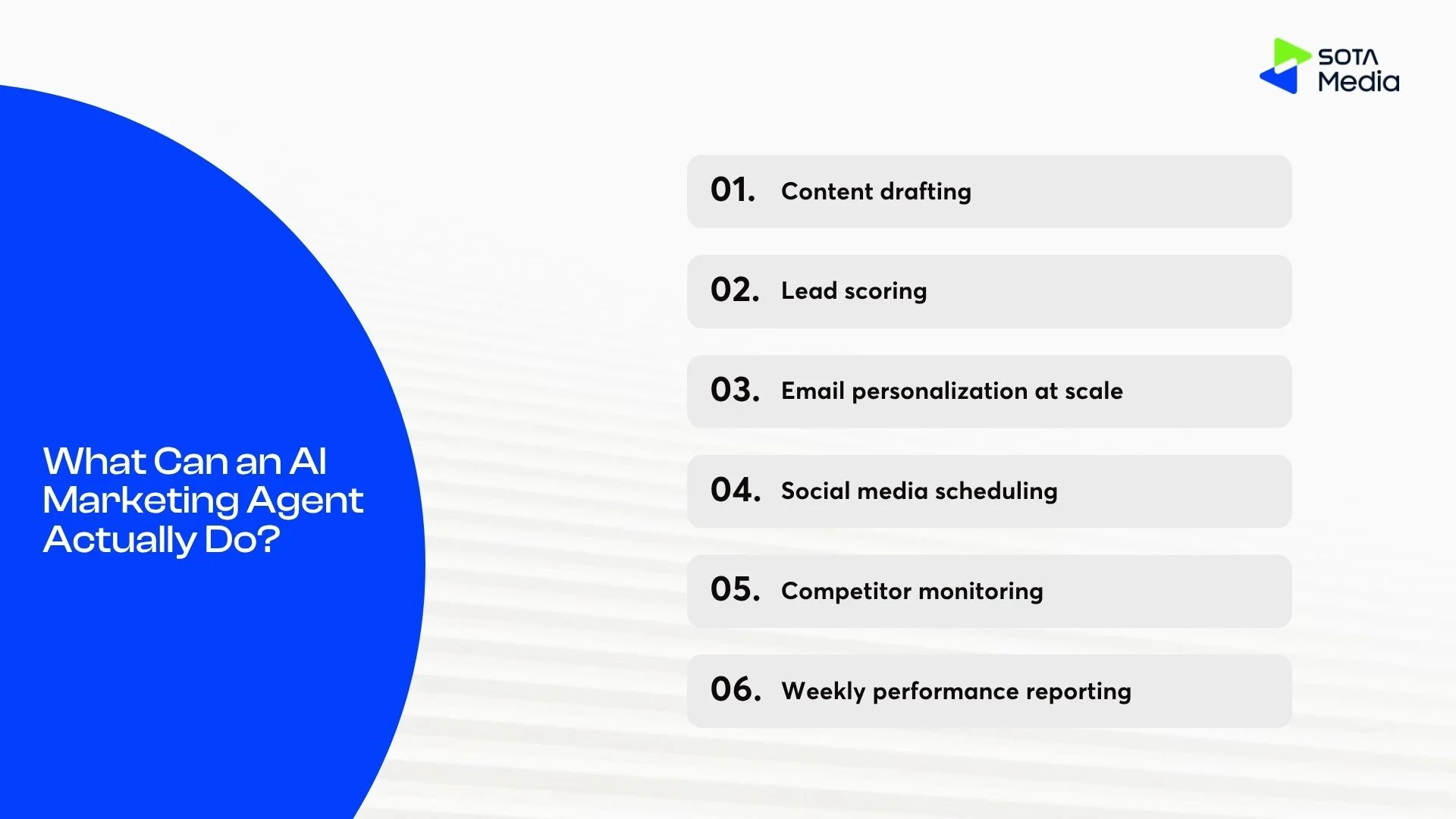
An AI marketing agent works best on tasks that are repeatable, data-dependent, and require producing language or making a decision, not tasks that require human judgment, relationship context, or creative vision.
The following are working use cases, not theoretical ones:
Content drafting
Input: a brief, a keyword, a product spec. Output: a first draft of a blog post, ad copy, or email sequence.
The agent does not replace the writer. It removes the blank-page problem and the first 2 hours of drafting. A human still edits for voice, accuracy, and strategy. The time savings: 3-5 hours per piece down to 30-60 minutes.
Lead scoring
Input: CRM activity data (email opens, page visits, form completions, company size, job title). Output: a priority score (1-100) with a 1-sentence reasoning note per lead.
This used to require a data analyst building a scoring model. An agent can do it with a well-written prompt and access to your CRM data. The scoring is not as sophisticated as a purpose-built ML model, but for an SME that currently has no scoring system, it is orders of magnitude better than nothing.
Email personalization at scale
Input: a list of 500 leads with profile data. Output: 500 emails with unique subject lines and opening lines based on company, role, and behavior.
Generic “Hi [FirstName]” personalization does not convert. Role-specific, company-specific, behavior-specific personalization does. Doing this manually for 500 leads takes a full week. An agent does it in 20 minutes.
Social media scheduling
Input: a published blog post and a brief. Output: 5 LinkedIn post variations, 5 Twitter/X variations, 1 newsletter snippet, all queued in your scheduling tool.
The agent reads the blog, extracts the key claims, formats them for each platform’s tone and character limit, and pushes them to Buffer or Hootsuite. One blog post becomes a full week of social content.
Competitor monitoring
Input: a list of 5 competitor domains. Output: a weekly summary of any new content, pricing changes, or product launches.
The agent runs searches against competitor sites and social accounts, summarizes what changed, and sends the report to Slack or email. Without this, the work either does not happen or someone spends 2 hours every Monday doing it manually.
Weekly performance reporting
Input: GA4 access, ad platform access, your KPI targets. Output: a plain-English summary of what happened last week, what is on track, and what needs attention.
Most marketing teams spend 4-6 hours per month writing reports that pull from the same 3 dashboards every time. An agent writes the report in 10 minutes. The human reviews, adjusts, and sends. Total human time: 15 minutes.
What agents do not do well (yet):
- Creative strategy and positioning: deciding what to say to whom and why requires market understanding an agent does not have.
- Relationship-dependent work: sales calls, partnership conversations, investor updates.
- Tasks that require judgment calls about brand risk: what to say after a PR crisis, how to respond to a negative review.
Why Does Your Business Actually Need One?
The business case is not “AI is the future.” It is simpler: the marketing work that takes your team 30 hours a week includes roughly 18 hours of tasks with a clear input, a clear process, and a clear output. Those 18 hours are what an AI marketing agent handles.
For a 3-person marketing team:
Without an agent, your team spends time like this (estimated based on a typical SME content + demand gen team):
|
Task |
Hours/week |
Replaceable by agent? |
|
Weekly reporting |
3h |
Yes |
|
Social post creation |
4h |
Yes (drafts) |
|
Email campaign writing |
5h |
Yes (drafts) |
|
Lead scoring / CRM cleanup |
3h |
Yes |
|
Content research |
3h |
Partially |
|
Strategy, creative direction |
6h |
No |
|
Relationship management |
4h |
No |
|
Total |
28h |
~18h reducible |
An agent that handles the 18 reducible hours does not eliminate your marketing team. It gives them 18 more hours for strategy, creative direction, and relationship work, which is where humans actually have an advantage.
The scale argument:
A funded SaaS startup with a 3-person team wants to publish in 3 languages, run email nurture sequences for 4 audience segments, and monitor 8 competitors weekly. Without agents, that requires hiring 3-4 more people. With agents, the same 3-person team can handle it with a $200-300/month tool budget and 2-3 days of setup time.
The data:
- McKinsey’s 2023 generative AI report estimates marketing and sales have $1.7-3 trillion in productivity potential, the highest of any business function.
- A 2024 Salesforce State of Marketing survey found 68% of marketing teams using AI said it helped them personalize at scale, compared to 36% of teams not using AI.
- A 2023 Nielsen study found AI-generated ad copy variants that were tested against human-written copy performed 11% better on click-through rate when the human-written copy was used as training data for the AI.
How to Build an AI Marketing Agent (Step by Step)
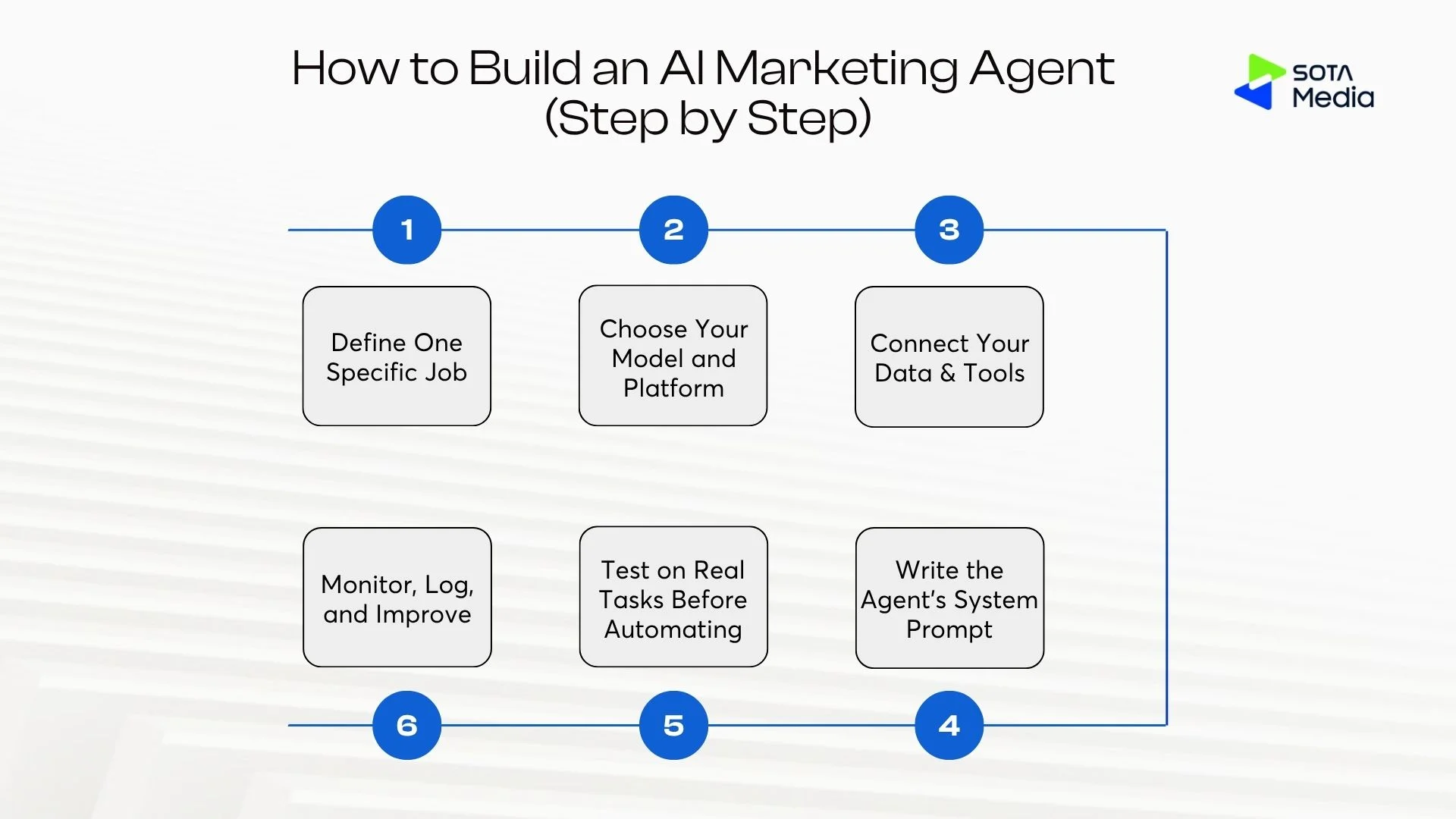
You do not need an engineering team. The constraint is clarity, not code. The most common reason a first agent fails is that the person who built it was not specific enough about what the agent was supposed to do.
Step 1: Define One Specific Job
Most teams skip this step. That is why most first agents fail.
“Manage our marketing” is not a job. An AI agent cannot handle an instruction with 20 undefined variables. “Every Monday at 9 am, pull last week’s top 3 blog posts by organic traffic from GA4, write one LinkedIn post for each, save all three in a Google Doc titled ‘Social drafts [date]'” is a job.
To write a proper job definition, answer these four questions:
- Trigger: What starts this task? (A schedule, an event like “new lead added to CRM,” or a human who clicks a button)
- Input: What data does the agent need? (List every source: CRM, spreadsheet, website, analytics)
- Output: What exactly does done look like? (Format, destination, length, tone)
- Edge cases: What should the agent do when the data is missing, wrong, or ambiguous?
If you cannot answer all four in one sitting, split the task into smaller tasks until you can.
Test: Write the job description in 2 sentences. If you cannot, it is not ready to be automated.
Step 2: Choose Your Model and Platform
You are choosing two things: the LLM that powers the agent’s reasoning, and the platform that handles the workflow, tool connections, and interface.
The LLM options:
|
Model |
Best for |
Relative cost |
|
GPT-4o (OpenAI) |
General marketing tasks, fast, widely tested |
Medium |
|
Claude Sonnet 4 (Anthropic) |
Longer content, nuanced writing, complex instructions |
Medium |
|
Gemini 1.5 Pro (Google) |
Tasks involving Google Workspace (Docs, Sheets, Gmail) |
Medium |
|
Claude Haiku / GPT-4o mini |
High-volume tasks where cost matters more than depth |
Low |
For most marketing tasks: GPT-4o or Claude Sonnet 4. If you are integrating heavily with Google Workspace: Gemini.
The platform options:
|
Platform |
Best for |
No-code? |
Monthly cost (approx.) |
|
Make.com + OpenAI |
SMEs with existing tools |
Yes |
$10-50 |
|
Relevance AI |
Marketing teams, end-to-end agent builder |
Yes |
$19-199 |
|
Zapier AI |
Non-technical founders, standard integrations |
Yes |
$20-50 |
|
n8n |
Teams who want full control, self-hosting option |
Partial |
Free (self-hosted) or $20+ |
|
LangChain / LangGraph |
Developers building fully custom agents |
No |
Model API costs only |
|
Gumloop |
Teams that want AI steps inside automation workflows |
Yes |
$50-499 |
The practical recommendation: If you have never built an agent before, start with Make.com or Relevance AI. Both have visual interfaces, pre-built marketing templates, and enough documentation that you can get a working agent in a day. Save LangChain for when you know exactly what you want and need customization that no-code tools cannot handle.
Step 3: Connect Your Data and Tools
The agent is only as useful as the data it can read and the tools it can write to. A common mistake is connecting too many tools at once. Connect only what this specific task requires.
For most marketing agents, the minimum set is:
- One data source (CRM, Google Sheet, GA4, or ad platform)
- One output destination (Google Doc, HubSpot draft, Buffer, Slack channel)
Authentication:
Most no-code platforms handle authentication through OAuth (you click “Connect HubSpot” and log in). For API-key-based tools, store keys in your platform’s environment variables or secret manager, not in the agent’s system prompt. Putting API keys in the prompt exposes them in logs.
Permissions:
Give the agent the minimum access needed for the task. If the task is “read lead data and write email drafts,” the agent needs read access to your CRM and write access to your drafts folder, not the ability to send emails or delete records. This limits damage if something goes wrong.
Data formatting:
Agents work best with structured data (CSV, JSON, database records) rather than unstructured files (PDFs, scanned documents). If your CRM exports are messy or your data lives in inconsistent formats, clean the data before connecting it. An agent given bad data will produce confident-sounding bad output.
Step 4: Write the Agent’s System Prompt
This is the single most important decision in the build. The system prompt is the instruction that runs at the start of every task. It tells the agent who it is, what it should do, how it should behave, and what to do when things go wrong.
A weak system prompt produces generic output. A specific system prompt produces output you can use.
What makes a prompt fail:
- “Be helpful and professional” is not an instruction. Every model defaults to this.
- “Write good content” is not a format. Name exactly what good looks like.
- Not specifying what to do when input is missing. Agents will guess. You want them to flag, not guess.
Test your prompt before connecting any tools. Paste it into Claude.ai or ChatGPT with sample data and see if the output is what you expected. Fix the prompt on paper before spending time on integrations.
Step 5: Test on Real Tasks Before Automating
Do not set the agent to run automatically before you have manually verified 10-15 real outputs.
The testing process:
- Run the agent on 10 real examples from your actual data.
- Score each output: “Would I send this / publish this / use this?” (Yes / Needs edit / No)
- For every “Needs edit” or “No”: trace back to the system prompt. What instruction was missing or wrong?
- Adjust the prompt. Re-run the same 10 examples.
- Repeat until “Yes” rate is above 80%.
What to check beyond output quality:
- Does the agent handle missing data correctly? (Remove one required field and re-run)
- Does it handle edge cases? (A lead with no company name, a blog post with no traffic data)
- Does the output format match what downstream tools expect? (If you are sending output to HubSpot, does it accept the format the agent produces?)
One hour of testing saves 10 hours of fixing broken automation later.
Step 6: Monitor, Log, and Improve
An agent that runs without oversight will degrade silently. Model providers update their underlying models. Data formats change. Your business context shifts. None of these will stop the agent from running. They will just make it produce worse output.
Review the log weekly for month one, then monthly. If quality drops below a 3 average, investigate the prompt, the data, or the model.
Track one metric that proves the agent is working:
- Time saved per week (measured, not estimated)
- Number of emails sent with AI-drafted copy
- Lead score accuracy (compare AI score to human judgment on a sample)
If you cannot point to a number that proves the agent is doing useful work, you do not know if it is worth the ongoing cost.
Build It Yourself or Hire an Agency?
Neither is the right answer for everyone. The decision depends on three things: how specific your workflow is, how much engineering confidence you have, and how much your time is worth.
|
Build yourself |
Hire an agency |
|
|
Time to first working agent |
1-4 weeks |
2-6 weeks |
|
Ongoing maintenance |
Your team handles it |
Agency handles it (or hands over with documentation) |
|
Customization |
Full, but slow to learn |
Fast if brief is clear |
|
What you get |
Knowledge + tool |
Working system + documentation |
|
Biggest risk |
Learning curve costs time; mistakes cost re-work |
Brief is unclear; result does not match what you needed |
When to build yourself:
You are a founder or marketer comfortable with no-code tools. Your task is well-defined. You have 3-4 days to spend on the first build. The goal is to learn how agents work and own the system long-term.
Start with Make.com or Relevance AI. Pick one task from the use case list above. Follow Step 1 through Step 6 exactly. Expect your first agent to take 2-3x longer than you think.
When to hire:
Your marketing operation is generating real revenue. Your team’s time is worth more than the agency fee. Your workflow involves multiple systems (CRM + analytics + email + social + Slack) and you need them to work together reliably from day one.
What to ask any agency you consider:
- Can you show me a marketing agent you built for a client similar to us? What was the task, the platform, and the outcome?
- What is your handover process? Will we be able to maintain this ourselves, or will we always need you?
- How do you handle model updates that break existing agents?
SotaMedia builds AI marketing systems for tech companies that need them to work the first time. The team sits inside SotaTek, a 1,300-engineer IT firm with offices across the US, Australia, Singapore, and Southeast Asia, which means the agents SotaMedia builds are backed by engineering infrastructure most marketing agencies do not have. Talk to the SotaMedia team about your use case.
Common Mistakes When Building an AI Marketing Agent
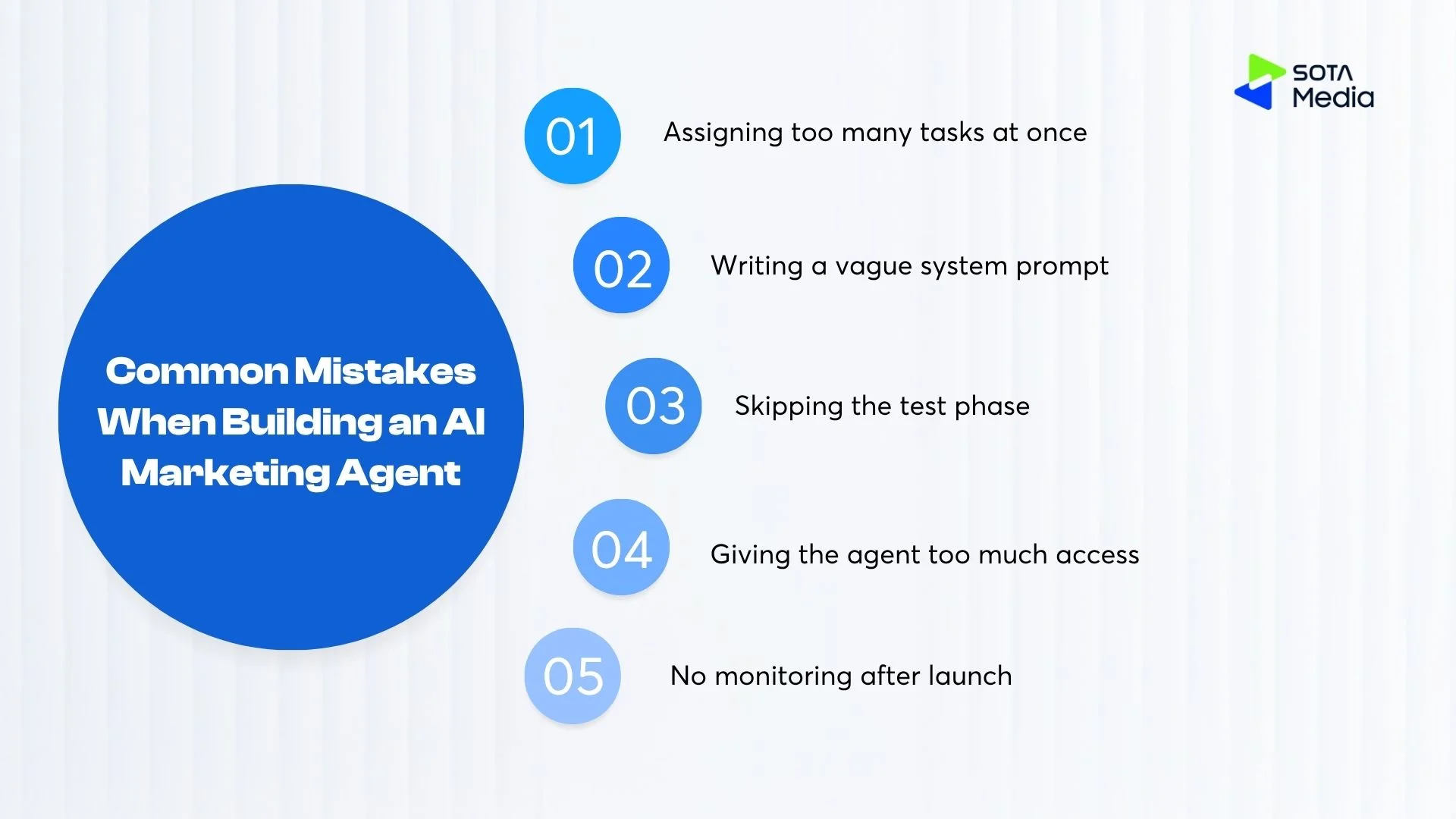
These are the five failures that appear most often when a first agent does not perform. None of them are model failures. All of them are setup failures.
Mistake 1: Assigning too many tasks at once
“Manage all our marketing” is not a task. It is a department. An agent given this instruction will try to do everything and do nothing well. The output will be generic, miss context, and require so much editing that it saves no time.
Fix: One agent, one task. “Every Monday, pull last week’s top 3 blog posts by traffic and write one LinkedIn post for each.” That is a task.
Mistake 2: Writing a vague system prompt
“Be helpful and professional” is not useful. “Write a 3-sentence LinkedIn post in a direct, practical tone for a B2B SaaS audience. The post should start with a specific observation or number from the blog post, not a generic opener. End with one question to drive comments.” That is a system prompt.
The gap between these two is the gap between an agent you use every week and one you abandon after the first run.
Mistake 3: Skipping the test phase
Teams connect the agent, set it to run automatically, and come back the next day to find 200 emails sent with the wrong tone, missing data, or broken formatting. Testing 10-15 examples manually before automating takes 1-2 hours. Fixing broken automation takes days.
Mistake 4: Giving the agent too much access
An agent with write access to your email platform, CRM, and social accounts can do significant damage if it misinterprets an instruction or encounters unexpected data. Limit permissions to exactly what the task needs. An agent that drafts emails does not need to send them. Keep a human approval step until you have verified the output quality over at least 4-6 weeks.
Mistake 5: No monitoring after launch
Model providers update underlying models without announcement. Your CRM changes a field name. Your brand guidelines shift. None of these stop the agent from running. Check outputs monthly. Keep a quality log. If you stop looking, the agent’s quality will drift without you noticing until a customer sees it.
Conclusion
An AI marketing agent is a practical tool you can build this week for one task you already know takes too long. The technology is available on no-code platforms for under $100/month. The blocker for most teams is not the build. It is deciding exactly which task to automate first and being specific enough in the setup to make it work.
Start with the smallest useful task in your marketing workflow. Write a proper job definition (4 questions from Step 1). Set up Make.com or Relevance AI. Write a specific system prompt. Test on 10 real examples. Launch.
If you want to skip the learning curve and get a working system faster, SotaMedia builds AI marketing agents for tech companies, SaaS teams, and enterprises that need results from day one. Contact the SotaMedia team to talk about your use case.